Collaborative team calendar
A shared calendar that simplifies team coordination. View, plan, and collaborate in real time.
- Create events
- Belong to teams
- Access shared calendars
- Access to dedicated calendars
- Group users together
- Services and departments
- Contain events
- Import Google Calendar
- Divided between teams
Discover the interface
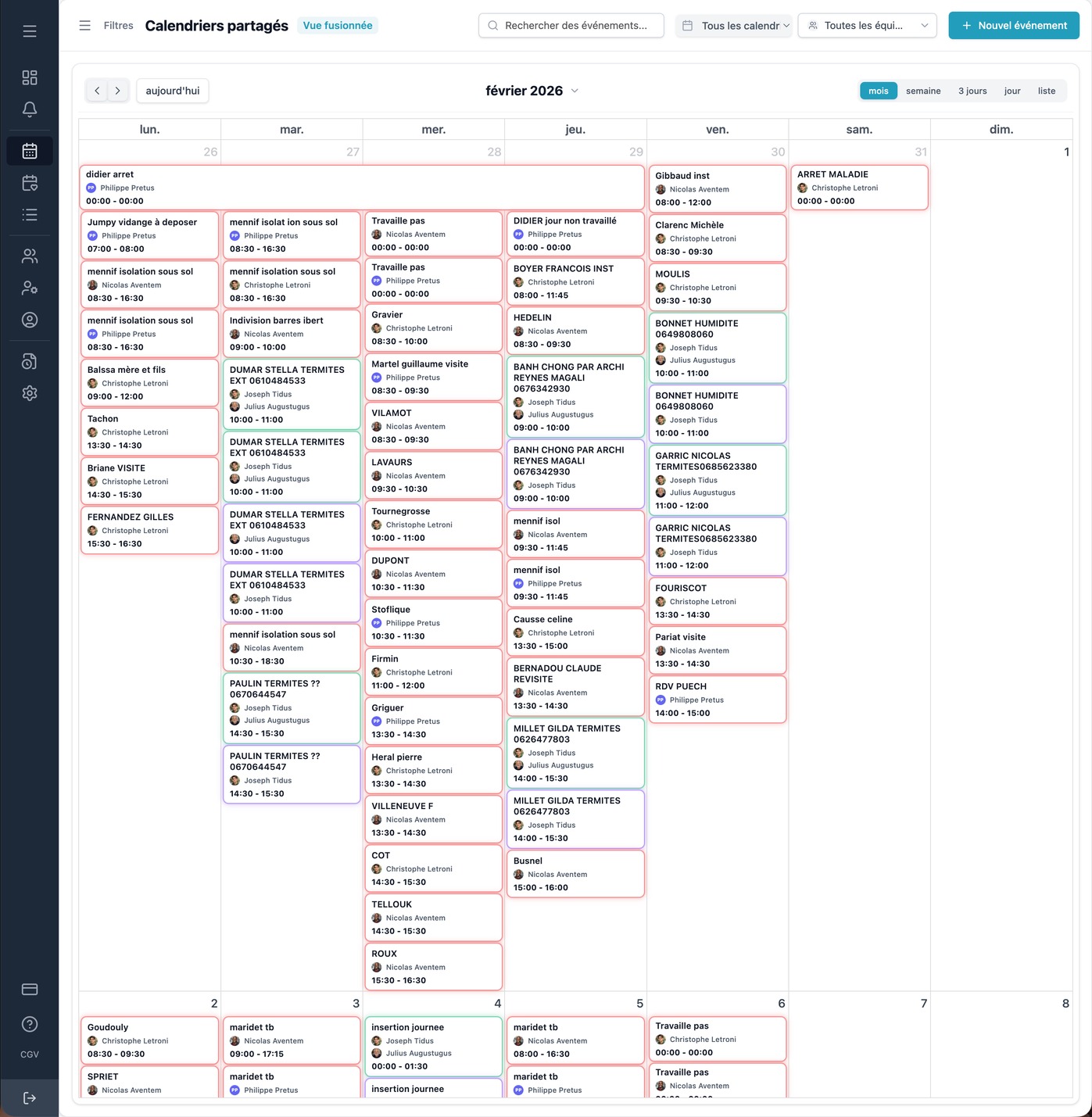
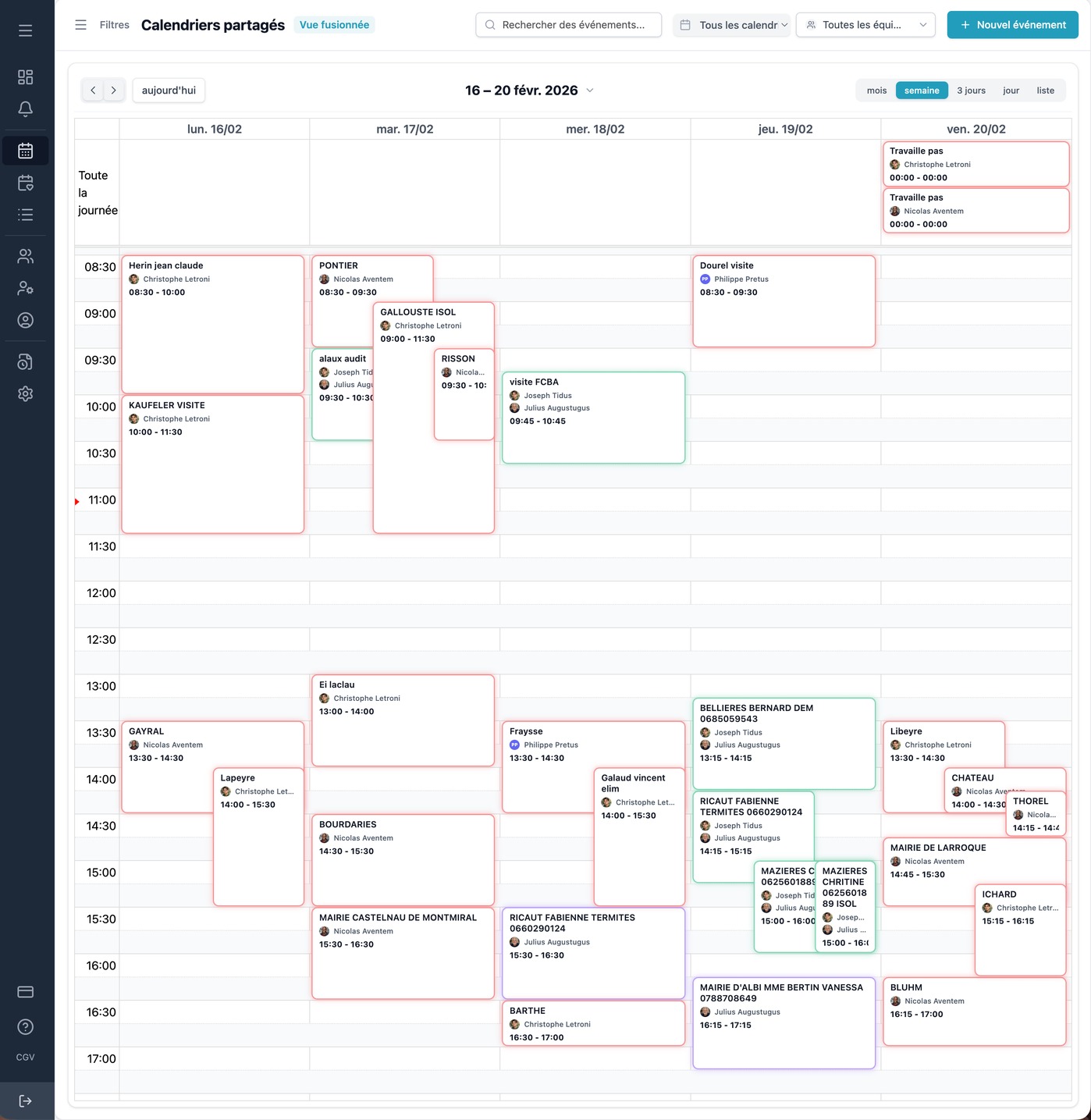
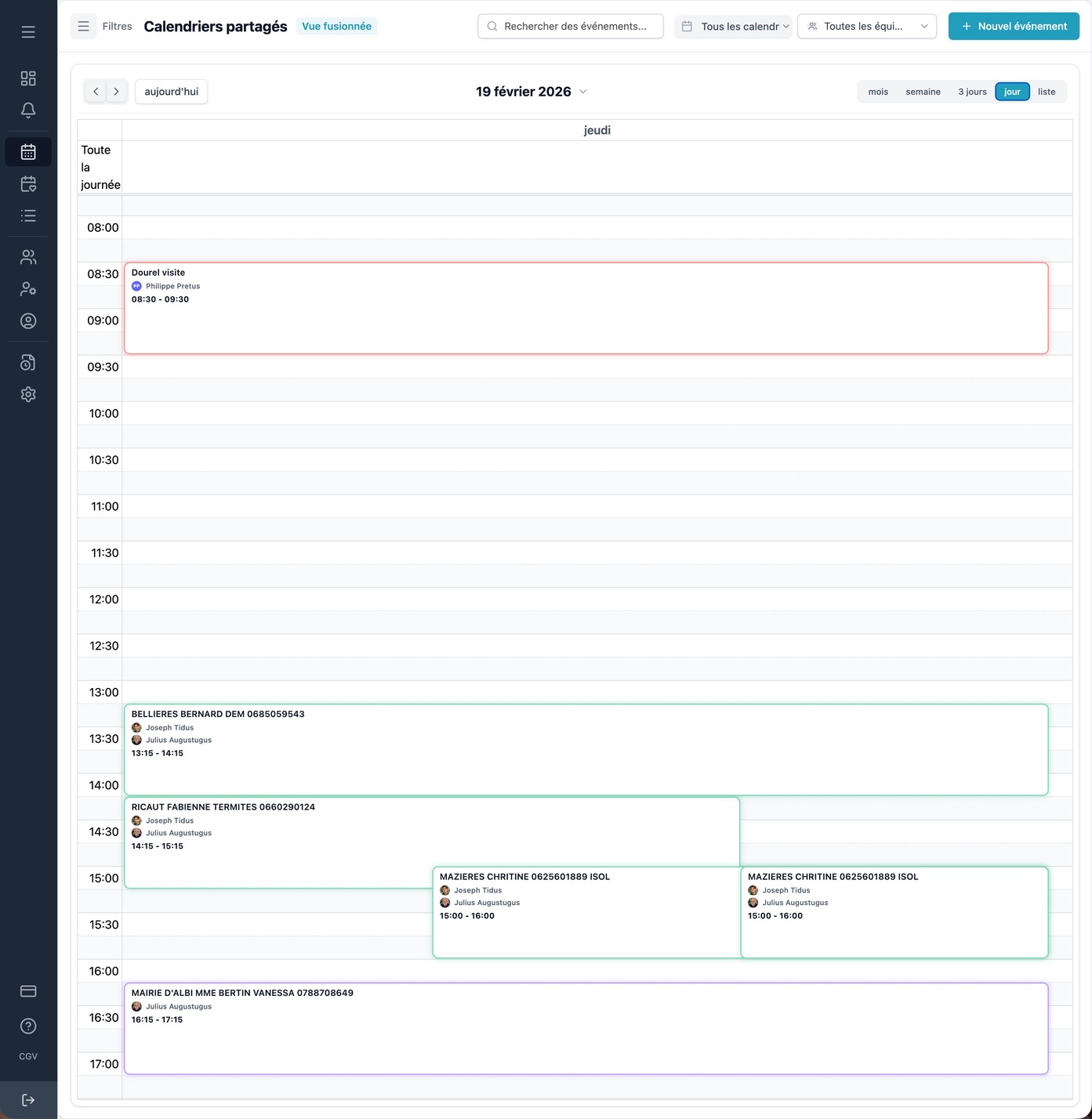
A calendar designed for team collaboration, with multiple views adapted to every need.
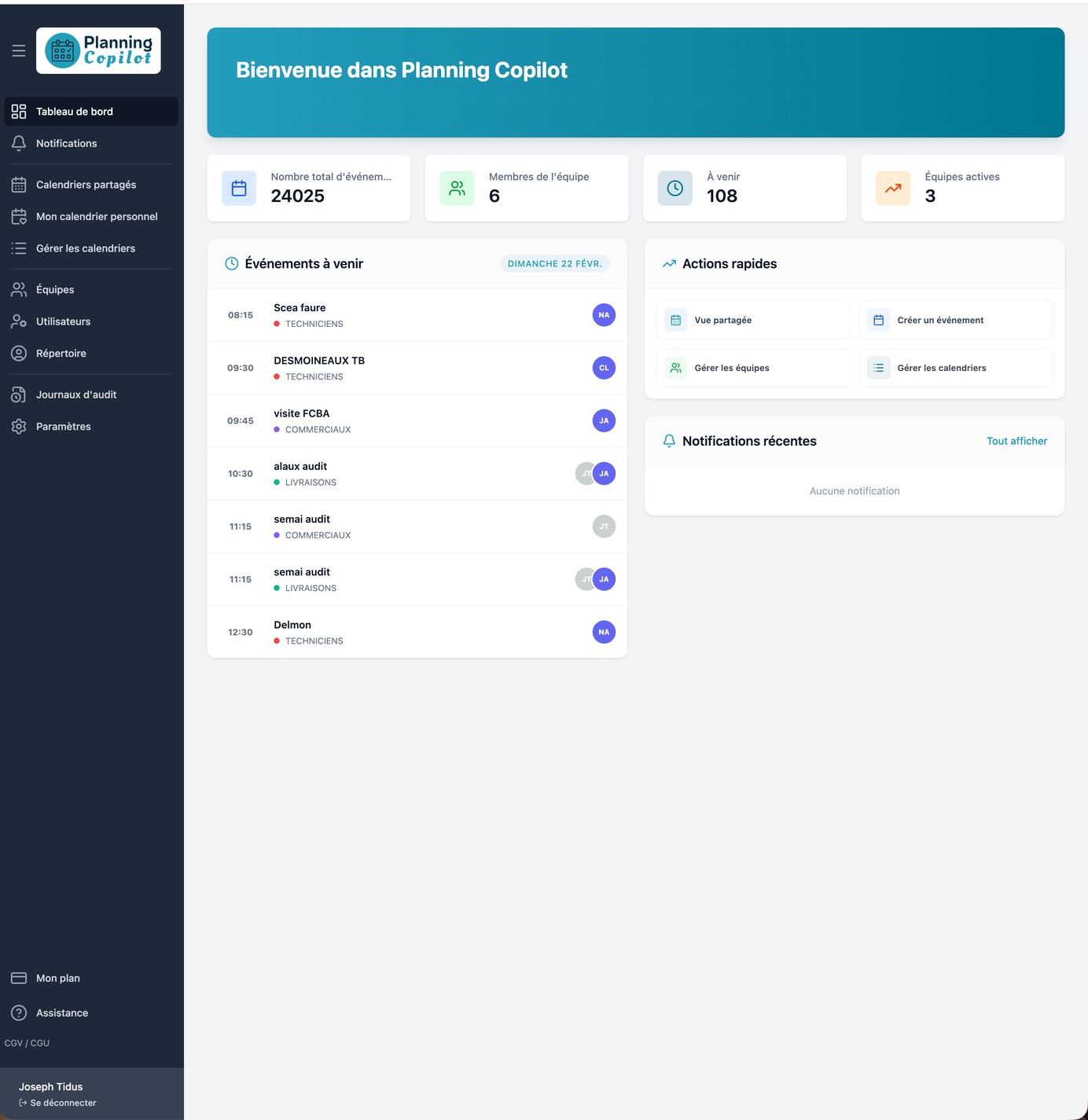
The dashboard provides a summary view of activity: upcoming events, active teams and key statistics to manage your organization.
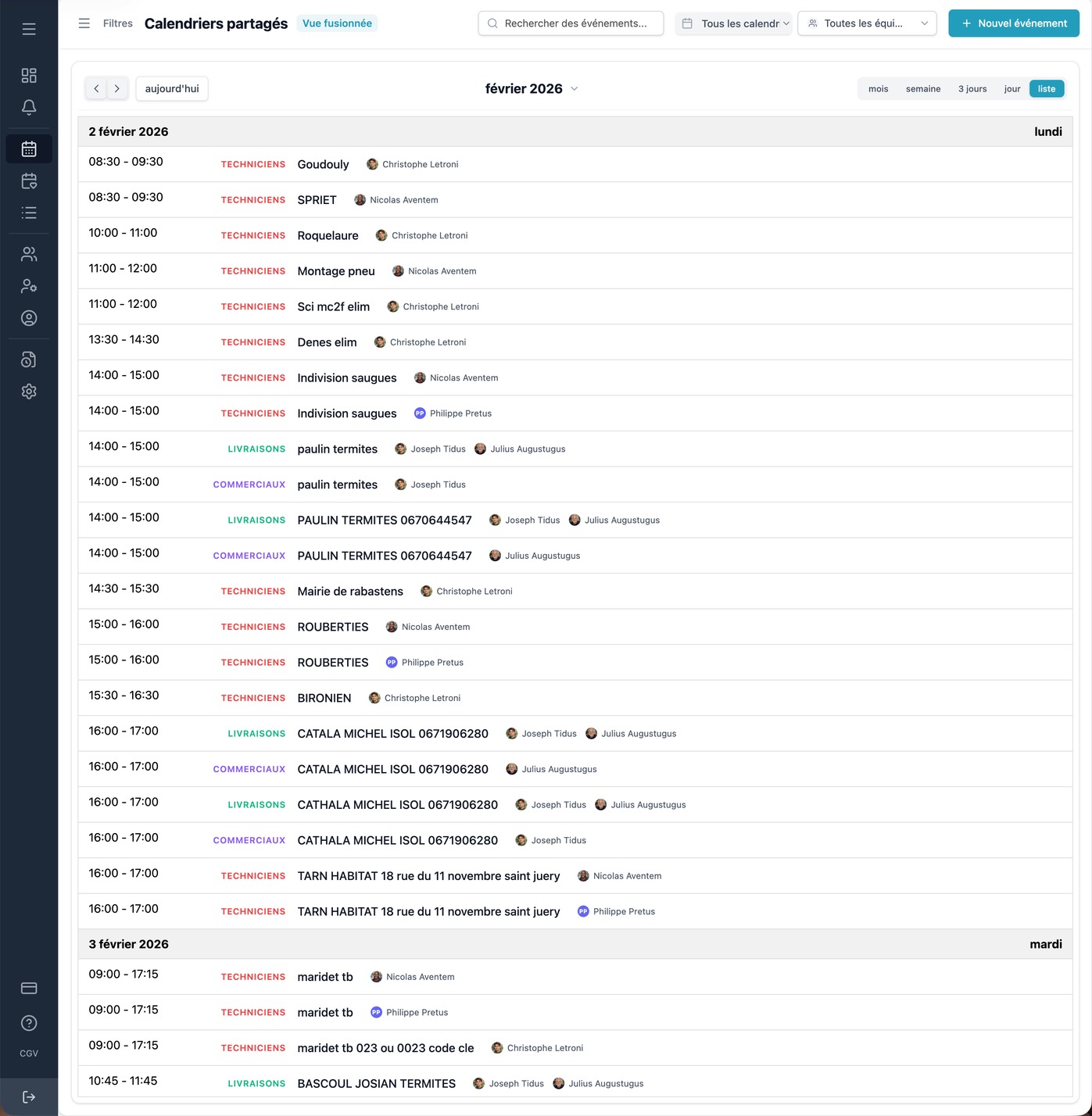
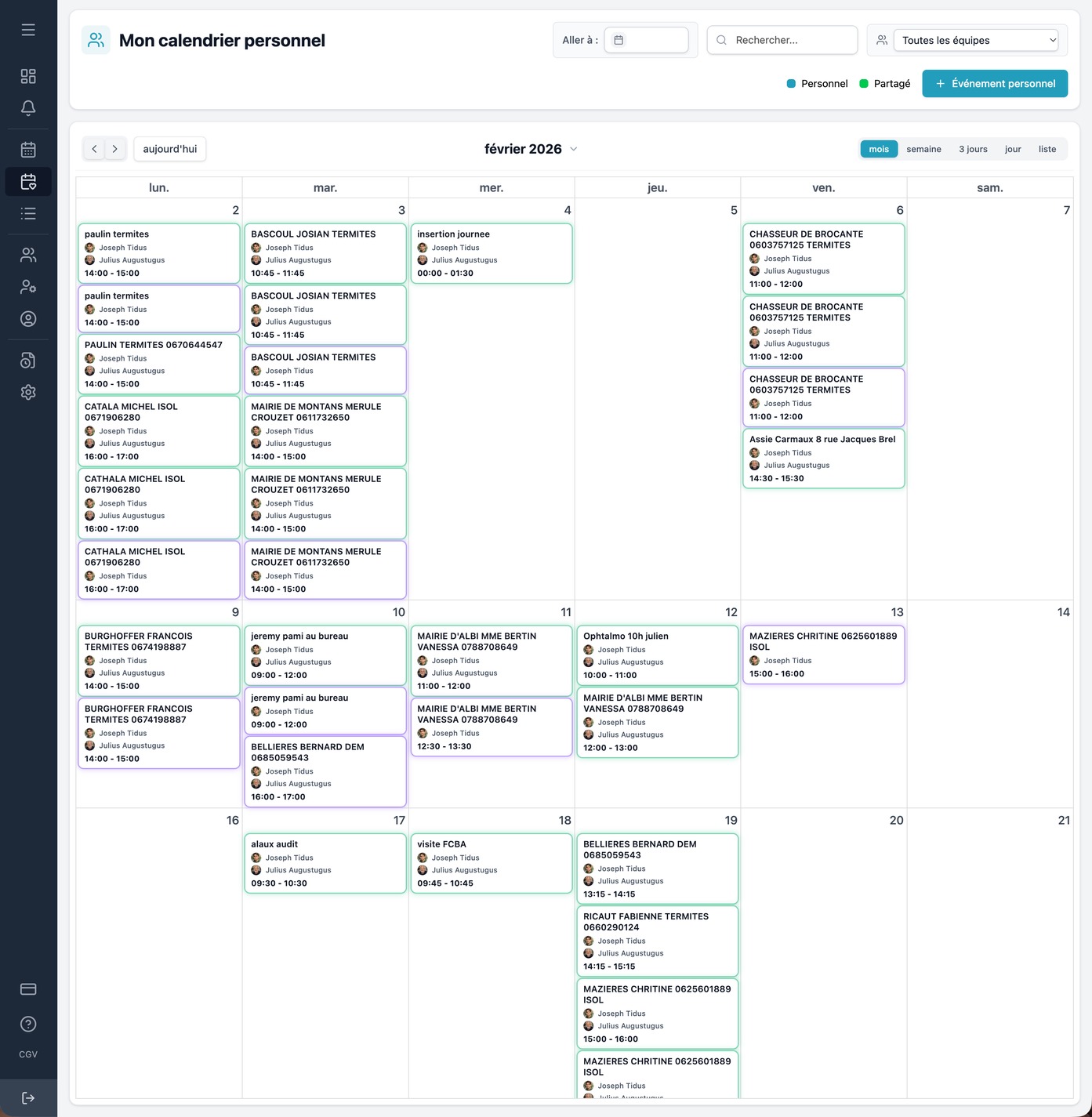
Calendar features
Everything you need to efficiently manage your team's schedules.
Shared calendars
- Manage your employees' calendars
- Share your teams' events
- Assign events to your employees
Event management
- Assign events and appointments
- Comment and discuss on events
- Notifications and appointment reminders
Manage roles and teams
- Create team administrators
- Create external read-only users
- Create public calendars accessible without accounts
Are you looking to organize your team's schedule?
Juggling emails, spreadsheets, and messages to coordinate a team is exhausting. Planning Copilot centralizes everything in one place.
No more long and tedious Excel schedules
Switch from a static spreadsheet to an online, collaborative calendar that is always up to date.
No more creating multiple Google Calendar accounts
Create calendars for your employees, even if they don't have an email address.
No more questions about "who is available on these dates?"
One glance is all it takes to see the entire team's schedules in real time.
Tools designed for everyday use
Tools designed to simplify day-to-day schedule management.
Intuitive calendar view
View the schedules of the entire team in a single view. Easily switch between daily, weekly, or monthly views.
drag and drop
Modify schedules in an instant. Move slots with a simple drag and drop.
Conflict management
Automatic detection of schedule conflicts. No more double bookings.
Color codes
Assign colors by team, task type, or person for quick reading.
Advanced filters
Filter by person, team, location, or type of activity. Instantly find what you're looking for.
Export and print
Export your schedules to PDF or Excel. Print paper versions for display.
Why choose Planning Copilot?
A team calendar that saves time for the entire organization.
Time savings
Reduce the time spent organizing schedules by 80%
Create recurring events, duplicate typical weeks, and let notifications do the rest. No need to chase up each employee.
Global vision
Your entire team on one screen
View by day, week, or month. Filter by person, team, or location. Spot gaps and overloads at a glance.
Seamless collaboration
Every member knows where they need to be.
Automatic notifications, real-time updates, mobile access. No more unnecessary calls to find out who is doing what.
Tailored to your industry
Planning Copilot adapts to the specific needs of each business.
Agencies
Coordinate your creative teams and manage client projects.
- Multiple calendars by project and client
- Workload overview
- Simplified coordination with freelancers
Shops and retail
Manage team rotations, breaks, and openings/closings.
- Automated rotations and bearings
- Multi-site management
- Alerts for unfilled slots
Catering
Schedule services, outages, and special events.
- Lunch/dinner service schedule
- Managing breaks and rest periods
- Quick replacement in case of absence
Associations
Coordinate volunteers and on-call staff.
- Free for small businesses
- Schedule of office hours and activities
- Volunteer availability management
Healthcare and home assistance
Organize rounds, shifts, and replacements in real time.
- Route and visit planning
- Management of on-call and standby duty
- Immediate replacement in case of unforeseen circumstances
Construction and land
Assign your teams to job sites and track their movements.
- Assignment by site and area
- Tracking movements and availability
- Multi-team calendar view
Ready to better organize your team?
Create your first schedule in less than 5 minutes.
Free for up to 3 users · No credit card required